
Help Home > Overview > Portal Front Page

The Portal Front Page

The Front Page of the JGI Portal is the jumping off point for JGI sequence analysis and access. The front page has the following components, labeled in the diagram below:
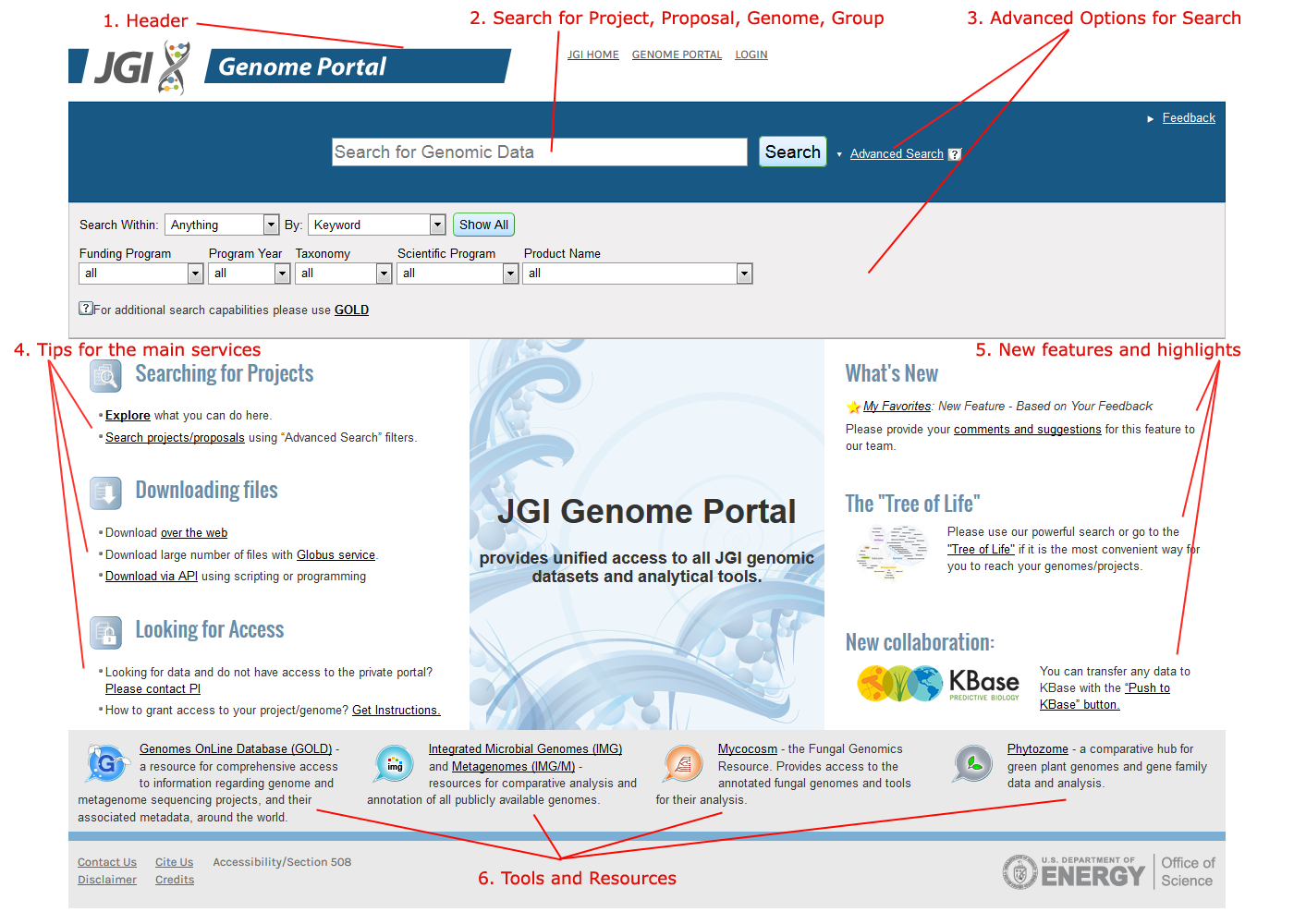
  1. The JGI header
  2. Genome Search.
  3. The Quick Jump genome/tool selector.
  4. The "Tree of Life" genome selector
  5. News and Download information.
  6. JGI Tools
  7. JGI Contact link
JGI Portal Front Page

1. The JGI header

At the top of the Portal Front Page, a set of links connects the portal to other JGI resources:

  1. The JGI link goes to the DOE JGI Home Page
  2. Tree of Life links to the Portal Front Page
  3. Genome Projects links to a JGI page providing information and status about all sequencing projects at the JGI
  4. Login provides access to the JGI "Single sign-on" log-in facility.

2. Genome Search

New in The JGI Genome Portal 4.0, Genome Search allows to easily search for genomes by keyword (e.g. plants, Eukaryota), name, taxonId or NCBI BioProject ID. Just start typing and a pull-down will appear with relevant search term choices. Then click Search to see a table of matching genomes (described in more detail here)

3. Organism/Tool selection

  1. In the first pull-down menu, you can filter genome selection by Kingdom: bacteria, archaea, or eukaryota. To see "metagenome" sequences, select Metagenomes.
  2. The second menu allows you to select the Organism Portal .
  3. From the third menu, you can choose to go straight to one of the tools within the Organism Portal.
  4. Click GO! to navigate to the desired portal and tool.

4. The "Tree of Life" tool for genome selection

The Tree of Life tool offers an alternative means of navigating to an Organism Portal. If you click on a classification, such as Deinococcus-Thermus selected in the image above, you will get a menu displaying available genomes in this phylum, class or order. Selecting a genome will connect you to corresponding organism portal.

5. Information about new releases, Help, and sequence downloading

The right-hand panel of the Portal Front Page provides information about and access to JGI sequence data.

Click Download for direct access to JGI's ftp server for download of publicly available sequence data in a variety of formats.

Click "What's New" to get a snap-shot of new features available in the current release, Genome Portal 6.0.

Check out our new "Program" sites, centralized hubs for tools and data related to the four scientific programs at the JGI.

Releases lists the most recently completed sequencing projects with links to their Organism Portals.

6. JGI Tools.

Easy access to interactive Web-based tools for genome analysis and comparative genomics.

7. Contact the JGI.

Click on the Comments/Questions link at the bottom of the Portal Front Page to suggest features, report problems, or provide feedback of any kind to the JGI.
